CinemaNext Test-DCP-Paket
Bei CinemaNext hat die Unterstützung unserer Kinobetreiber oberste Priorität. Damit Sie jede Leinwand in Bestform halten können, haben wir unser eigenes vollständiges Test-DCP-Paket entwickelt – eine Sammlung eigens erstellter Testinhalte, mit denen Sie die vollständige Integrität Ihres digitalen Kinosystems schnell und ohne Spezialausrüstung überprüfen können.
Was ist das CinemaNext Test-DCP-Paket?
Das Test-DCP-Paket ist eine Sammlung von Testinhalten, die Sie auf Ihrem digitalen Kinoserver abspielen können, um zu bestätigen, dass Projektion, Ton und Wiedergabe einwandfrei funktionieren. Es ist immer dann nützlich, wenn Sie ein System überprüfen müssen: bei der Inbetriebnahme einer neuen Installation, bei routinemäßigen Kontrollen, bei der Fehlersuche oder um vor der Wiedereröffnung nach einer Schließungsphase sicherzustellen, dass alles in Ordnung ist. Auch wenn manche Probleme weiterhin einen Einsatz einer unserer qualifizierten Techniker erfordern können, bestätigt dieses einfacheVerfahren, dass Ihr System ordnungsgemäß funktioniert, sodass Sie mit Zuversicht vorführen können.
Was überprüft das Test-DCP-Paket?
Das Paket enthält Testinhalte für:
- Serverzertifikat – verschlüsselte Inhalte zum Testen Ihres Serverzertifikats, einschließlich Untertitel.
- Bildkalibrierung – Überprüfung der Ausrichtung und Qualität des projizierten Bildes.
- Ton — Prüfungen des 5.1- und 7.1-Surround-Sounds.
- Audio-/Video-Synchronisation — Bestätigung, dass Ton und Bild aufeinander abgestimmt sind.
Jeder Test wird von Momentaufnahmen des DCP und einer technischen Erläuterung begleitet, was damit überprüft wird.
So verwenden Sie das Test-DCP-Paket
Nachfolgend finden Sie die vollständige Schritt-für-Schritt-Anleitung (PDF -Version verfügbar unter HIER) sowie die Testdateien für die regelmäßige Prüfung Ihrer Technik. Laden Sie die Dateien herunter, spielen Sie sie gemäß der Anleitung auf Ihrem System ab und nutzen Sie die Ergebnisse, um zu bestätigen, dass jede Komponente einwandfrei funktioniert.
Test-DCP-Paket: Häufig gestellte Fragen
Was ist ein Test-DCP?
Ein Test-DCP ist ein Digital Cinema Package, das Testinhalte enthält – etwa Bild-, Ton- und Synchronisationsprüfungen –, die Kinobetreiber auf ihrem Kinoserver abspielen, um zu überprüfen, ob Projektions- und Wiedergabesysteme einwandfrei funktionieren.
Was kann ich mit dem CinemaNext Test-DCP-Paket überprüfen?
Mit dem CinemaNext Test-DCP-Paket können Sie Ihr Serverzertifikat (einschließlich Untertitel), die Bildkalibrierung, den 5.1- und 7.1-Ton sowie die Audio-/Video-Synchronisation überprüfen, mit einer Schritt-für-Schritt-Anleitung für jeden Test.
Benötige ich eine spezielle Ausrüstung, um das Test-DCP abzuspielen?
Nein. Das Test-DCP-Paket ist als ausrüstungsfreies Verfahren konzipiert: Sie spielen die Testinhalte auf Ihrem bestehenden Kinosystem ab und folgen der Anleitung. Manche Probleme können dennoch einen Einsatz eines qualifizierten CinemaNext-Technikers erfordern.
Brauchen Sie Hilfe?
Wenn Sie Fragen haben, wenden Sie sich an den technischen Support von CinemaNext oder an Ihren lokalen Vertriebsansprechpartner – wir sind für Sie da, um Ihre Leinwände in Betrieb zu halten.
CinemaNext Test DCP Walkthrough Procedure
.
ACQUIREMENTS
Depending on your projector resolution (2K or 4K) and sound (5.1 or 7.1) system, download DCPs accordingly :
1.Encrypted (requires a KDM)
- CNX_Encryption_TST_C_EN-EN_INT_51_2K_CNX_20200512_EBL_SMPTE_OV
2.Non-Encrypted (no KDM required)
- CNX_Framing_TST_C_XX-XX_INT_MOS_2K_CNX_20200512_EBL_IOP_OV
- CNX_Framing_TST_C_XX-XX_INT_MOS_4K_CNX_20200512_EBL_IOP_OV
- CNX_Channel-ID_TST_C_EN-XX_INT_5.1-HI-VI_2K_CNX_20200512_EBL_IOP_OV
- CNX_Channel-ID_TST_C_EN-XX_INT_7.1-HI-VI_2K_CNX_20200512_EBL_IOP_OV
- CNX_SyncCheck_TST_C_EN-XX_INT_51_2K_CNX_20200512_EBL_IOP_OV
.
If you have a 7.1 sound system, you’ll be able to playback the 5.1 DCP, just select the dedicated 5.1 macro for accurate channel mapping on your sound processor.
“CNX_Encryption_TST_C_EN-EN_INT_51_2K_CNX_20200512_EBL_SMPTE_OV” is the single encrypted DCP, its purpose is to test the state of your server certificate after a long shutdown. As many servers are not designed to be powered down for such a long period of time, the safety batteries which are there to keep your certificate alive may have run out of power. In the event of a dead battery, your server will lose its certificate. Therefore, compromising your system at decrypting DCPs that require KDMs.
DOWNLOAD:
Please contact us to request the DCPs.
Once downloaded, ingest the 4 DCPs on each of your servers as well as the KDM for the encrypted DCP (the KDM must be required by Deluxe)
.
TESTING
ENCRYPTION
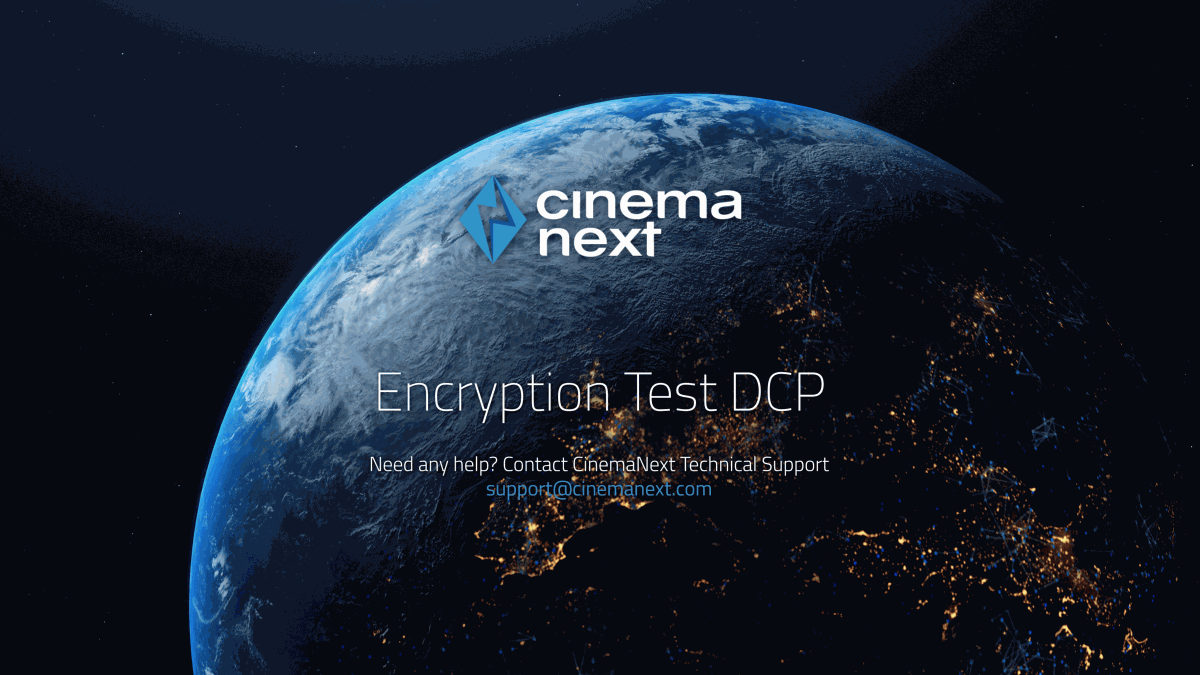
Play “CNX_Encryption_TST…”
.
.
Are you hearing the dialog and seeing picture on screen?
- Yes, this confirms your certificate is still valid and your playback system is operational.
- No, verify that all the equipment is properly booted and if the issue remains, please contact CinemaNext technical support or your local sales representative. We will assist your remotely or locally.
Are you seeing subtitles displayed on the bottom of your screen in sync with the dialog?
- Yes, this confirms your subtitles decryption and playback is operational.
- No, please contact CinemaNext technical support or your local sales representative. We will assist your remotely or locally.
.
FRAMING & COLOR
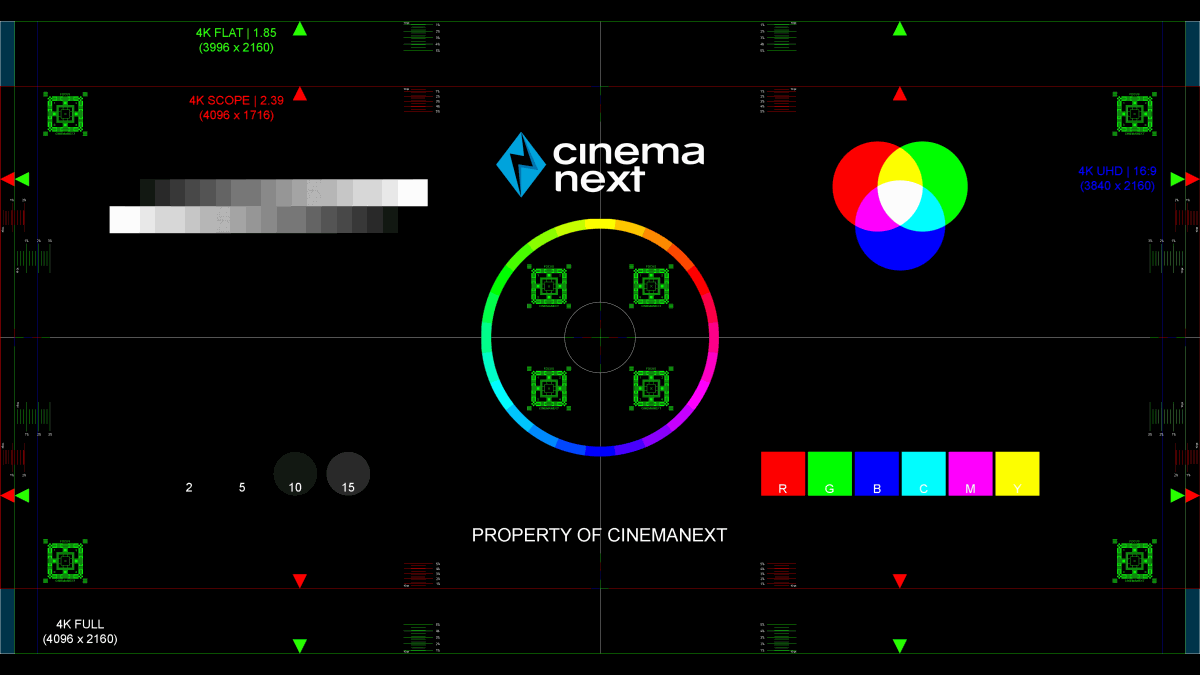
Play “CNX_Framing_TST…” and select sequentially the Flat and Scope macro on your projector.
.
.
Are the framing rectangles highlighted by the arrows (green for Flat 1.85, red for Scope 2.39) within your screen boundaries?
- Yes, this confirms your framing is still accurate.
- No, then please take a picture and contact your local CinemaNext sales representative. You may require the help of one of our technicians to adjust it for you. We will assess the issue utilizing the picture we will receive from you.
Are the colors showing as spelled (R=Red, G=Green, B=Blue)?
- Yes, this confirms your colors are roughly accurate
- No, then please take a picture and contact your local CinemaNext sales representative. You may require the help of one of our technicians to adjust it for you. We will assess the issue utilizing the picture we will receive from you.
Are the focus patterns in the center and in the corner of the image (green squared box) in focus?
- Yes, this confirms your focus is still accurate
- No it is blurry, then please take a picture and contact your local CinemaNext sales representative. You may require the help of one of our technicians to adjust it for you. We will assess the issue utilizing the picture we will receive from you.
- At the center of the framing chart you’ll find Red, Green and Blue bars with a width of 1 pixel, aligned vertically and horizontally. Are these lines correctly aligned to each other?
- Yes, this confirms your convergence is still accurate
- No, then please take a picture and contact your CinemaNext local sales representative. You may require the help of one of our technicians to adjust it for you. We will assess the issue utilizing the picture we will receive from you.
!!! Don’t forget to test both Flat and Scope scenarios !!!
.
SOUND
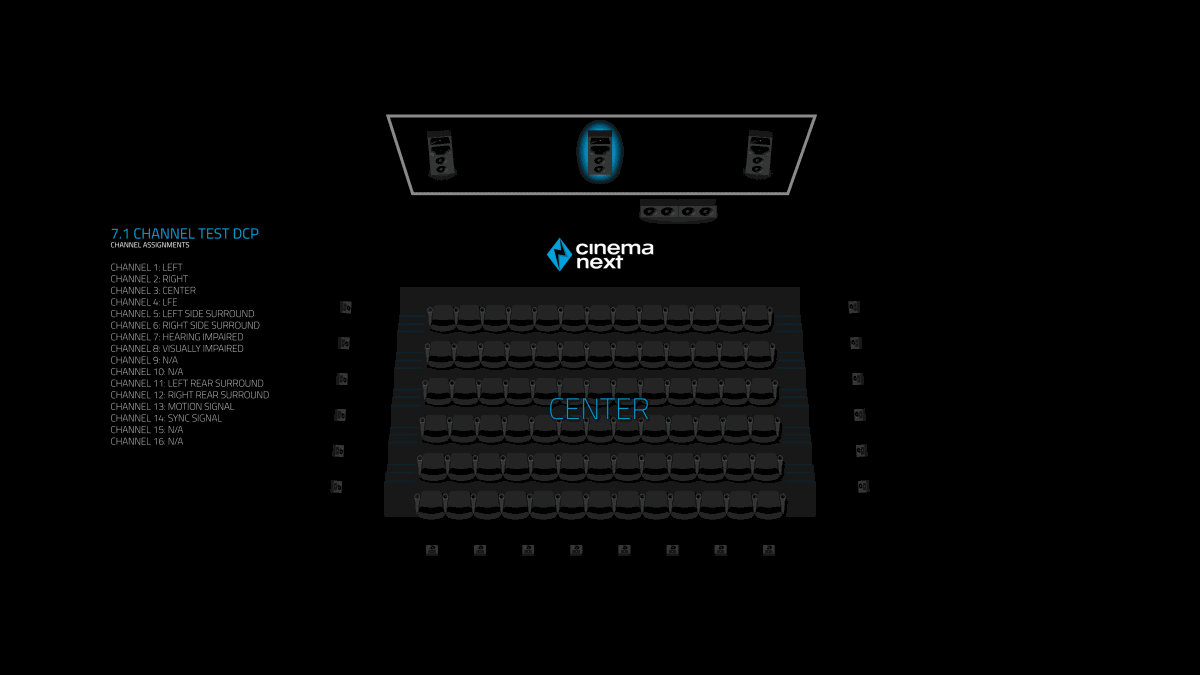
Depending on your system play the following DCP:
- CNX_Channel-ID_TST_C_EN-XX_INT_51 for 5.1 Sound System
- CNX_Channel-ID_TST_C_EN-XX_INT_71 for 7.1 Sound System
.
.
Is the commentary dialog sequentially coming out of the correct speaker as highlighted on screen?
- Yes, this confirms the integrity of your sound system and the fact that it is still operational (you may still require an in-depth calibration performed by one of our qualified technicians)
- No, please check that all the equipment is properly booted: Sound processor, crossover, amplifiers and you have selected the correct macro. If the issue remains, please contact CinemaNext technical support or your local sales representative. We will assist you remotely or locally.
SYNC
Play “CNX_SyncCheck_TST…”
.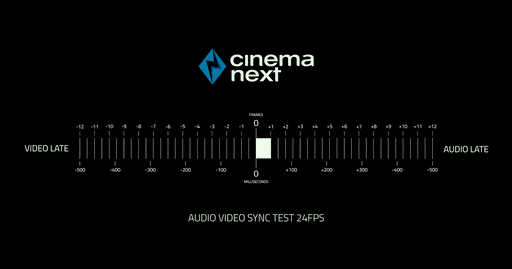
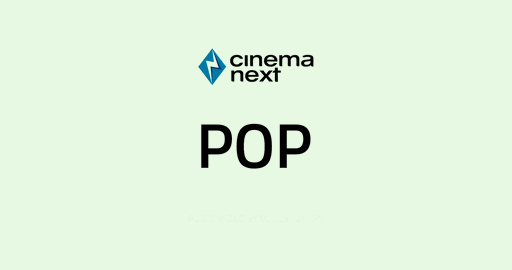
Are you seeing the here-above blank frame with the word POP written on it roughly (*) at the same time as you can hear the 1kHz tone?
- Yes, this confirms your Audio and Video are still in sync
- No, then please contact your local CinemaNext sales representative. You may require the help of one of our technicians to adjust it for you.
(*): for an accurate (to the frame) sound-image synchronization setting, please contact your CinemaNext sales representative to schedule an onsite cinema engineer intervention with suitable equipment.
.
CONCLUSION
If you’ve been successful at all the tests listed here-above, this should confirm your auditorium is operational for re-opening and hosting quality screenings without technical problems.
If certain tests have not been successful or if you have any concerns, please do not hesitate to contact CinemaNext technical support or your local sales representative. We will assist you remotely or locally.